









Blog
Camera Sensor Cleaning Steps
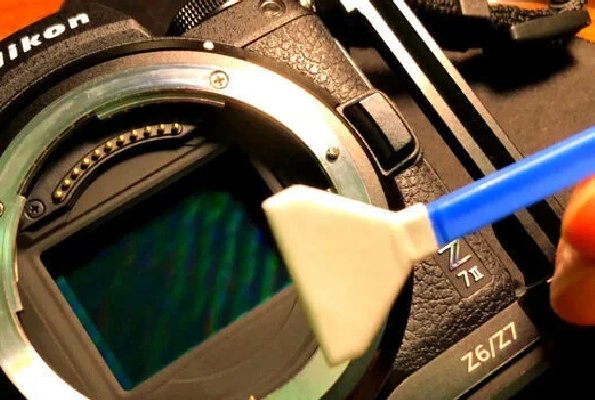
Dust, dirt, and smudges on your sensor can lead to unwanted spots and blemishes in your photos, especially when shooting at narrow apertures. If you’ve noticed dark spots in your images, it might be time to clean your camera sensor. In this guide, we’ll walk you through the steps to safely and effectively clean your camera sensor, ensuring your photos remain crisp and spot-free.
Why Is Camera Sensor Cleaning Important?
Your camera’s sensor is the heart of your photography equipment. Over time, dust and debris can accumulate on the sensor, particularly when changing lenses. This can result in visible spots in your images, especially in areas with uniform colors like skies or white backgrounds. Regular sensor cleaning not only improves image quality but also extends the life of your camera.
Tools You’ll Need for Camera Sensor Cleaning
Before diving into the cleaning process, gather the following tools:
Sensor Cleaning Swabs: Designed specifically for camera sensors, these swabs are lint-free and come in various sizes to match your sensor.
Sensor Cleaning Solution: A specialized cleaning fluid that evaporates quickly without leaving residue.
Rocket Blower: A handheld blower to remove loose dust particles.
Magnifying Loupe or Sensor Scope: Helps you inspect the sensor for dust and debris.
Microfiber Cloth: For cleaning the camera body and surrounding areas.
Gloves: To prevent fingerprints and oil from transferring to the sensor.